Campaign calendar
The campaign calendar provides an overview of all sent campaigns, displayed in calendar form. This allows you to see at a glance when which campaigns were sent.
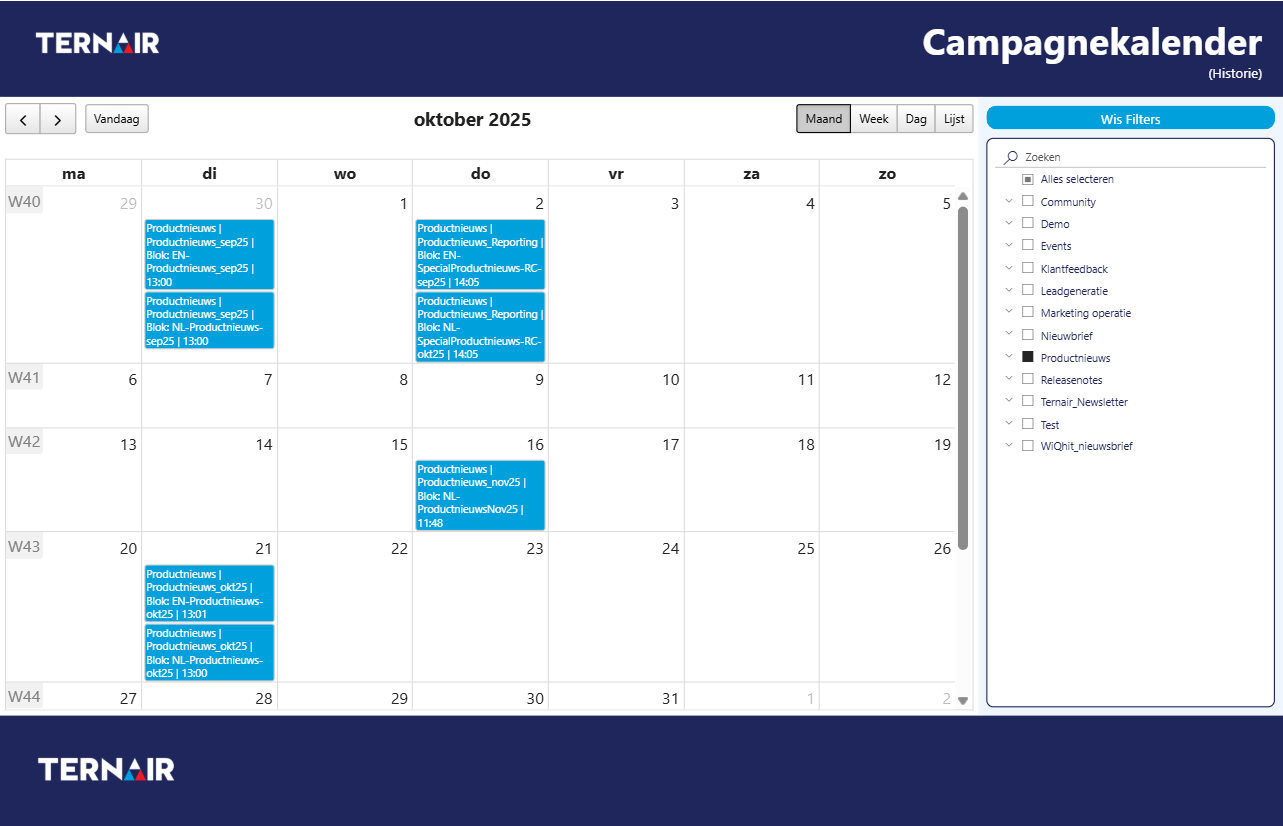
Filters
Select a Campaign or Selection to customize the calendar.
The CTRL key allows you to select multiple campaigns or selections at once.
Click Clear Filters to reset everything and return to the default settings.
Please note that due to the large volume of shipments, it can sometimes take a few seconds for all campaigns to appear in the calendar.
Calendar
By default, the calendar shows the view by month. Per day, you can see which campaigns have been sent. Each entry consists of the combination: Campaign | Selection | Block Number | Send Time.