Start with Ternair
Audience Manager (data)
Select & Segment
Select
Split
Sample
Switch
Deduplication
Communication pressure
Combine & Exclude
Enrich & Edit
Campaign Manager (channels & content)
Key path
Automation
Execute
Schedule
Webhook
Time zones
Reports
Email dashboard
Campaign calendar
Email conversion dashboard
Manage
Communication pressure
The Communication Pressure block allows you to exclude relationships that have been or will be contacted within a certain time period.
Drag the Communication Pressure block to the worksheet and connect an input (selection) block to the Communication Pressure block.
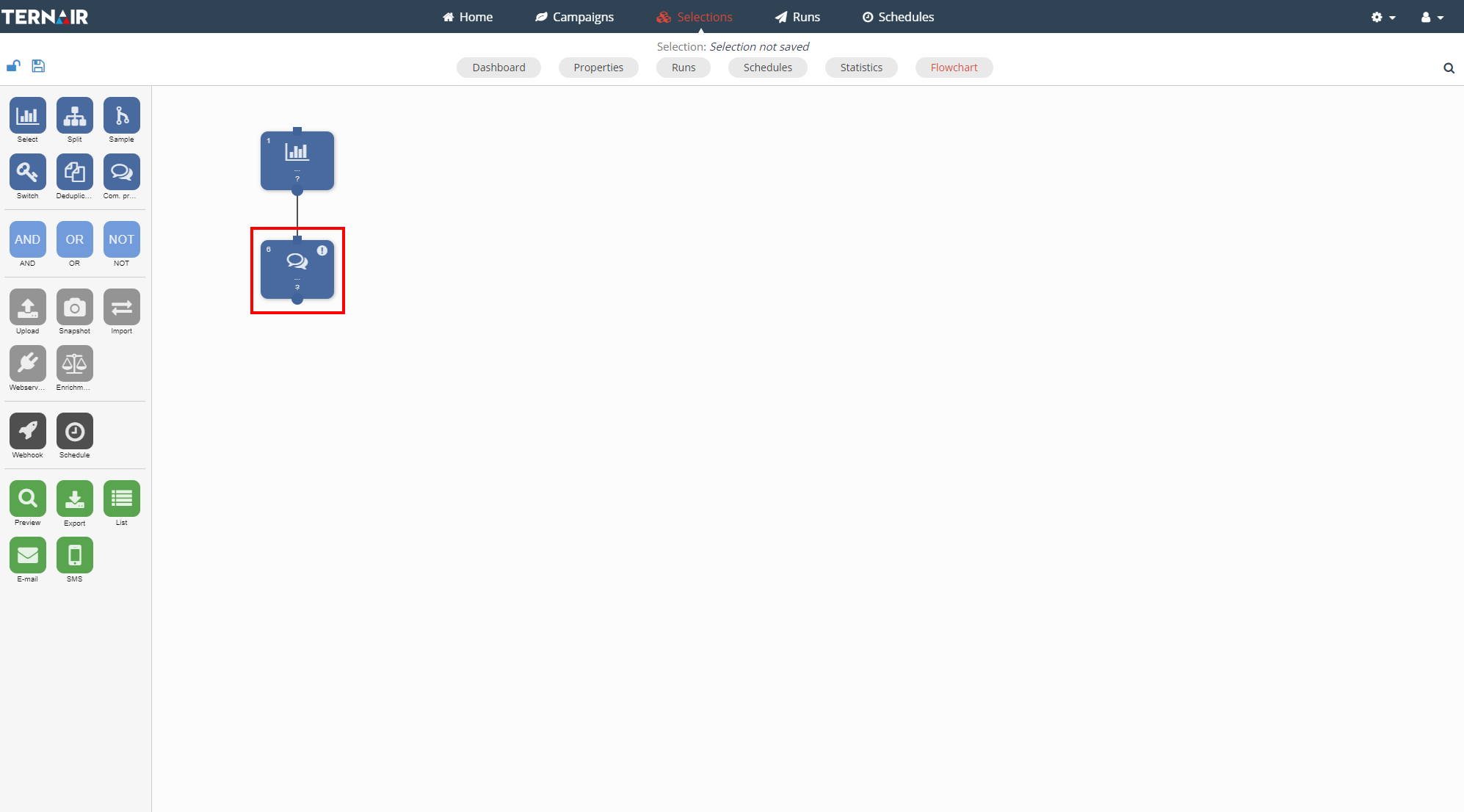
Double-click on the communication print block to open the settings.
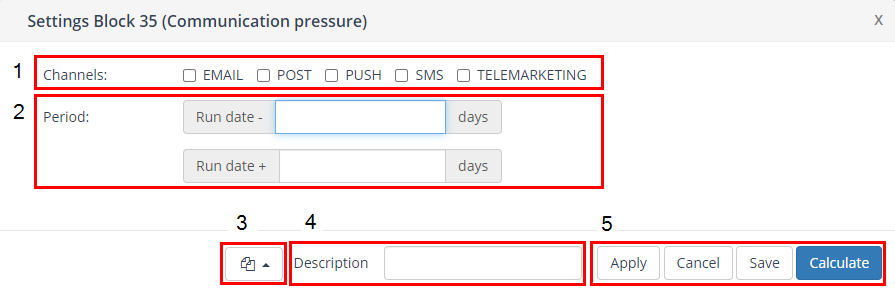
Channels
Select one or more channels (email, mail, push app, SMS, telemarketing) by checking the checkbox.
Period
Fill in the period, in days, before and after the beef date of the selection.
The communication print is based on the data in the records as stored in 'Contacts'
Please note: that when communication print is used, it is necessary to create contacts in the output blocks of selections that you want to exclude.
Block template
More details: Block template.
Description
More details: Description.
Applicate/ Cancel/ Save/ Calculate
The communication print block is saved and executed immediately after clicking the "Calculate" button.
More details: Apply/ Cancel/ Save/ Calculate.
Example
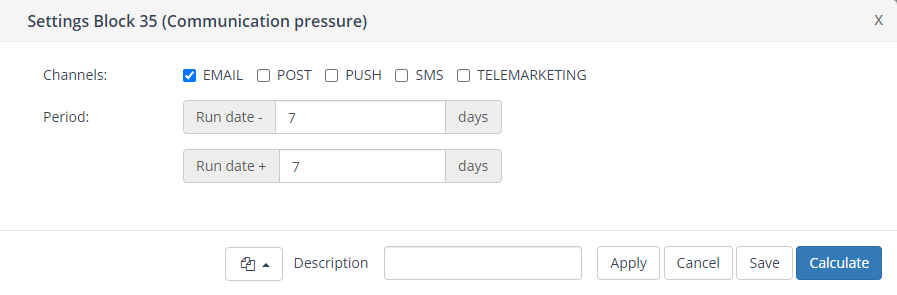
Exclude relationships that have already been contacted via "Email" in the past 7 days or will be contacted in the next 7 days.