Start with Ternair
Audience Manager (data)
Campaign Manager (channels & content)
Channels
Key path
Automation
Execute
Schedule
Webhook
Time zones
Reports
Email dashboard
Campaign calendar
Email conversion dashboard
Manage
Email
Create
Edit
Personalization
AI Assistant
User content
Hyperlinks
Mapping
RSS
Settings
Contacts
Validation
A/B testing
Test
Additional
Email statistics
Content
User content
Parts of an email's content (for example, snippets) can be saved. A 'user content block' can be reused in any email.
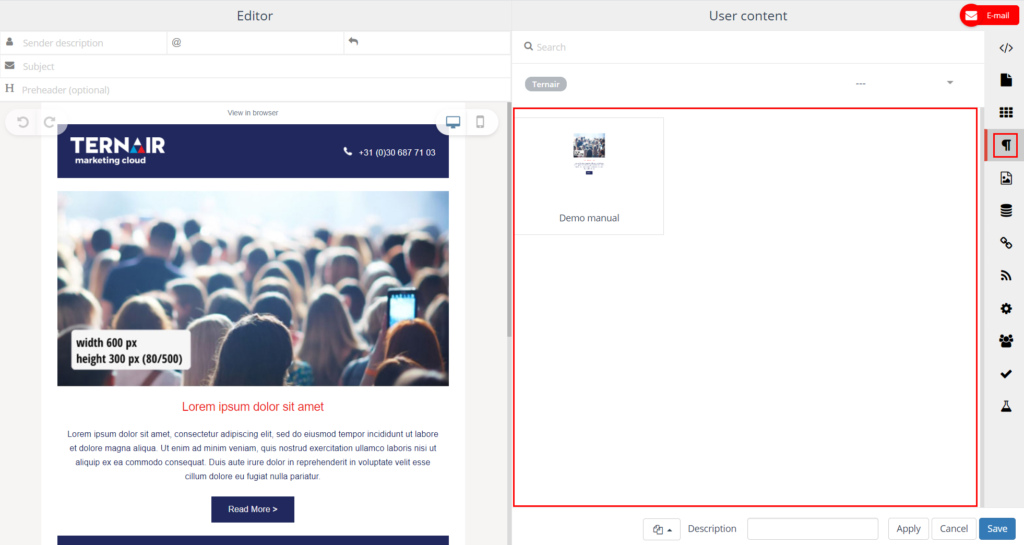
On the User content tab, you can select user content and reuse it in your email.
Select snippet
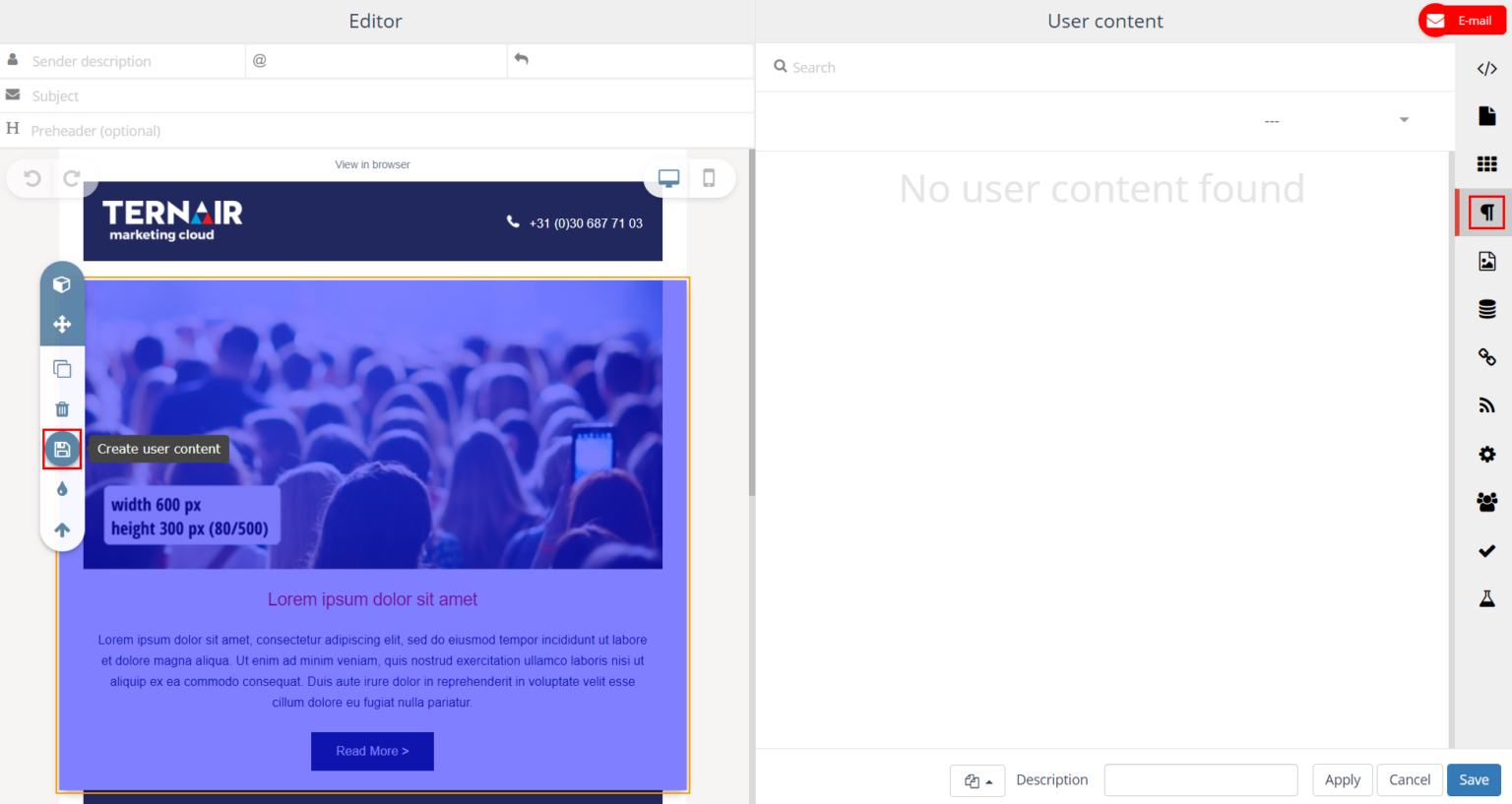
You can create a user content block by selecting the snippet content block and then clicking the 'save' icon.
Define settings
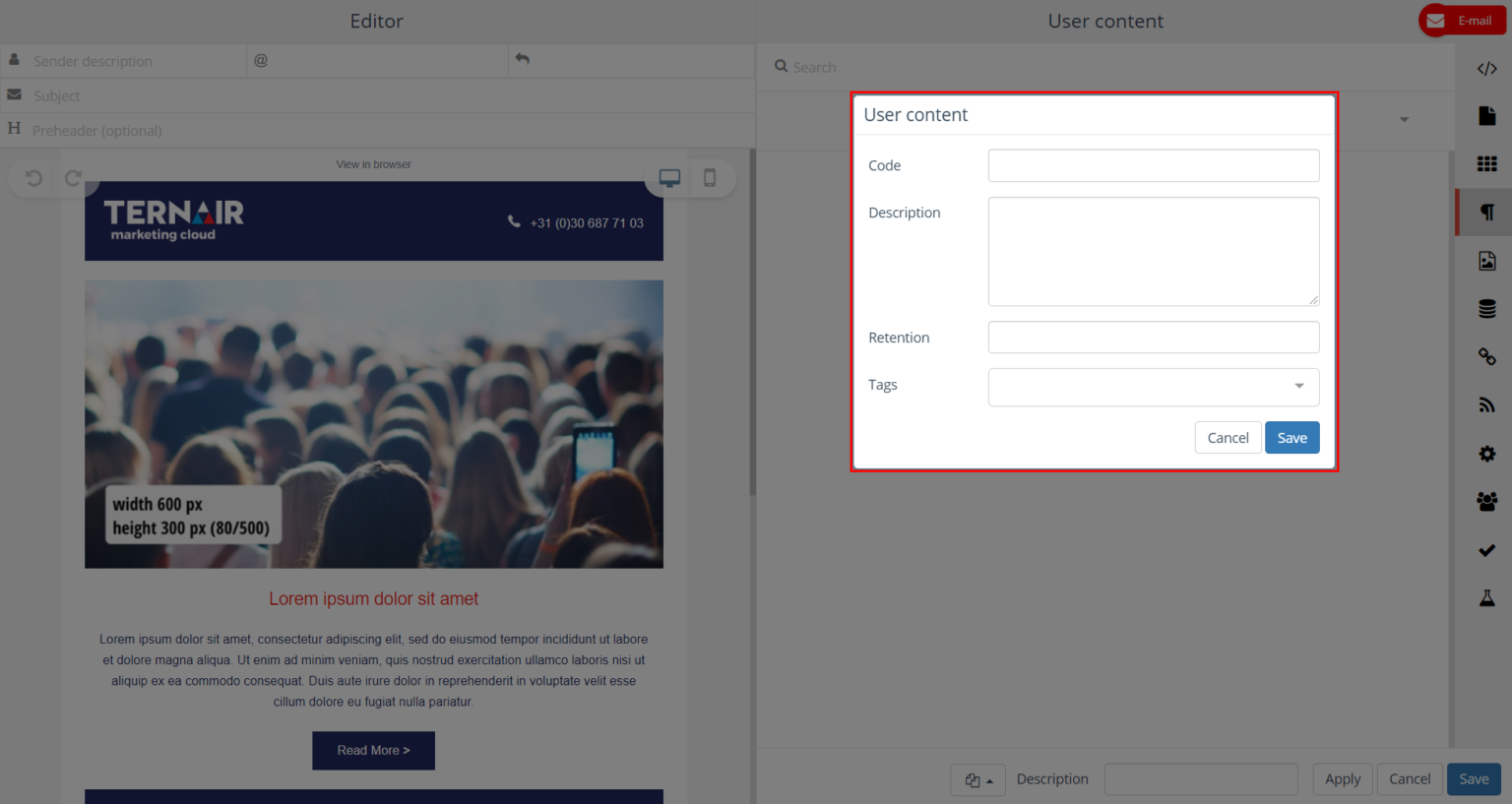
Specify a code (name), description, retention and optional tags.
The retention period is used to indicate how long the user content block is available. After the retention date expires, the block is no longer available.
Re-use user content block
A user content block can be reused in any e-mail. Drag one or more blocks from the 'User content' tab to the email editor on the left side of the screen to create an email with user content.