RabbitMQ Connection
Setting Up a RabbitMQ Connection
Before you can use a RabbitMQ block in your flows, you must first create a RabbitMQ connection in Campaign's general settings. Below, you'll find instructions on how to set up and manage this connection.
To set up a RabbitMQ connection, first go to Campaign's general settings.
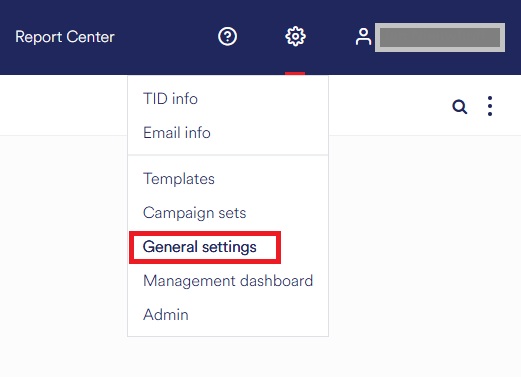
Go to the RabbitMQ overview
Go to "Integration" and click "RabbitMQ." The RabbitMQ overview will open.
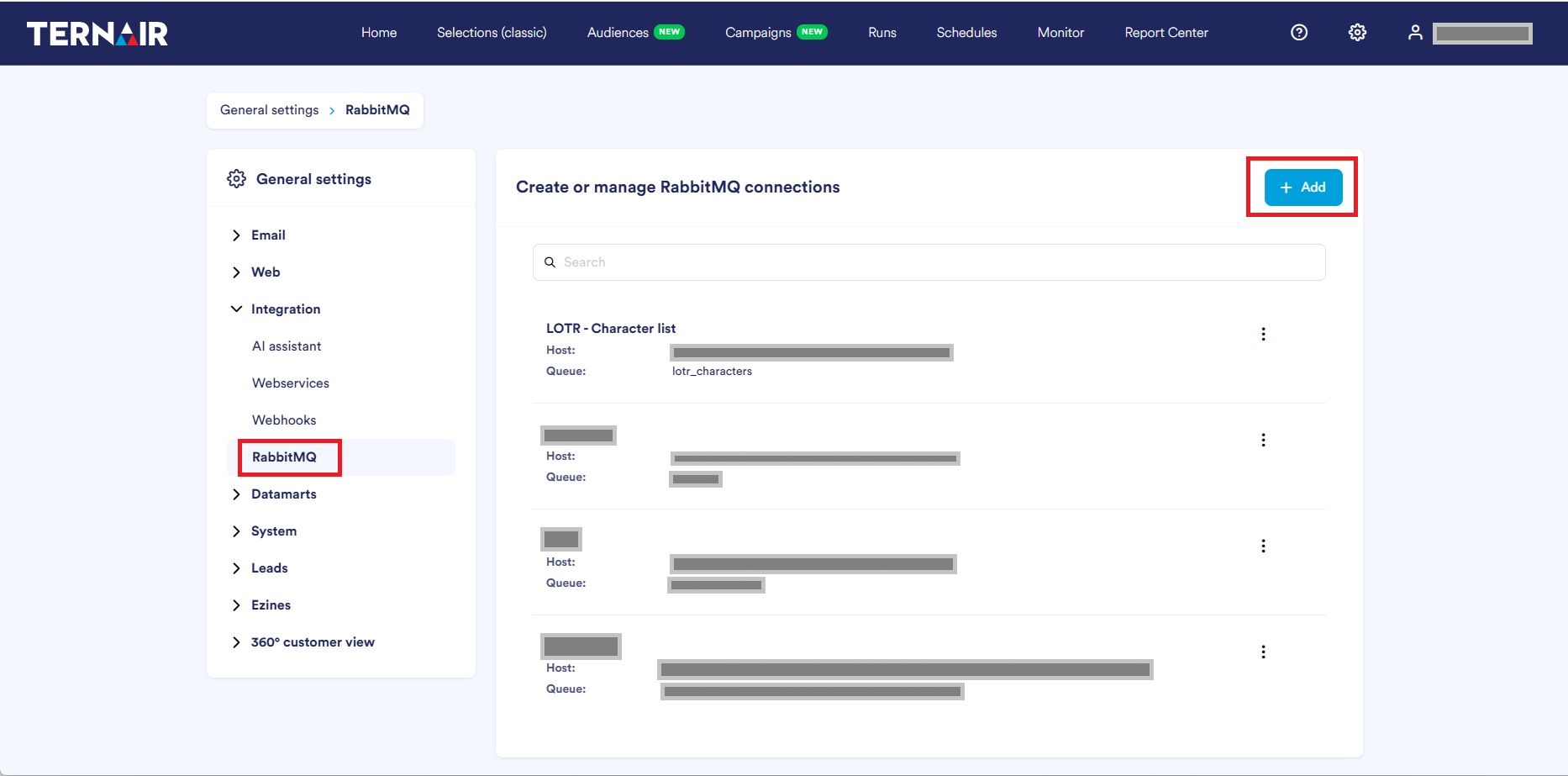
Add or Manage a Connection
Click the "Add" button to create a new RabbitMQ connection. You can also click the ellipsis icon (three dots) next to an existing connection to edit, duplicate, or delete it.
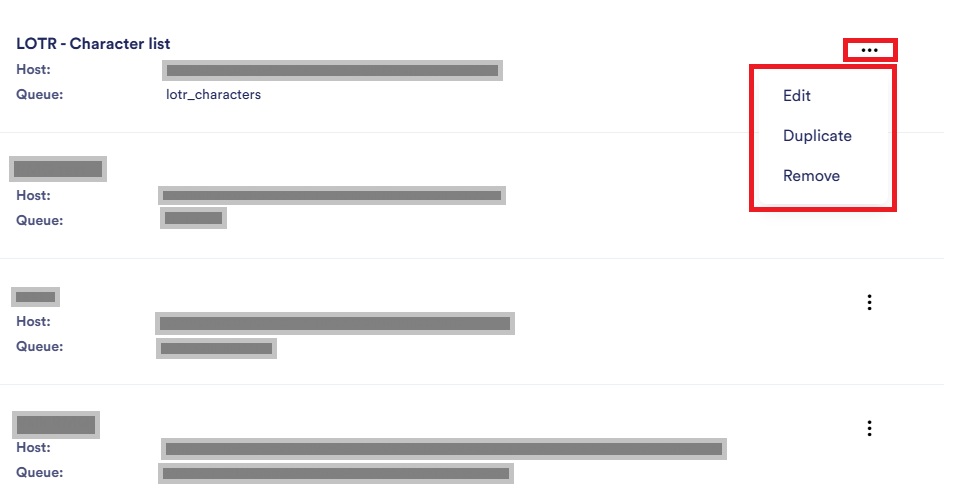
Enter your connection information
After clicking "Add," a blank RabbitMQ form will appear.
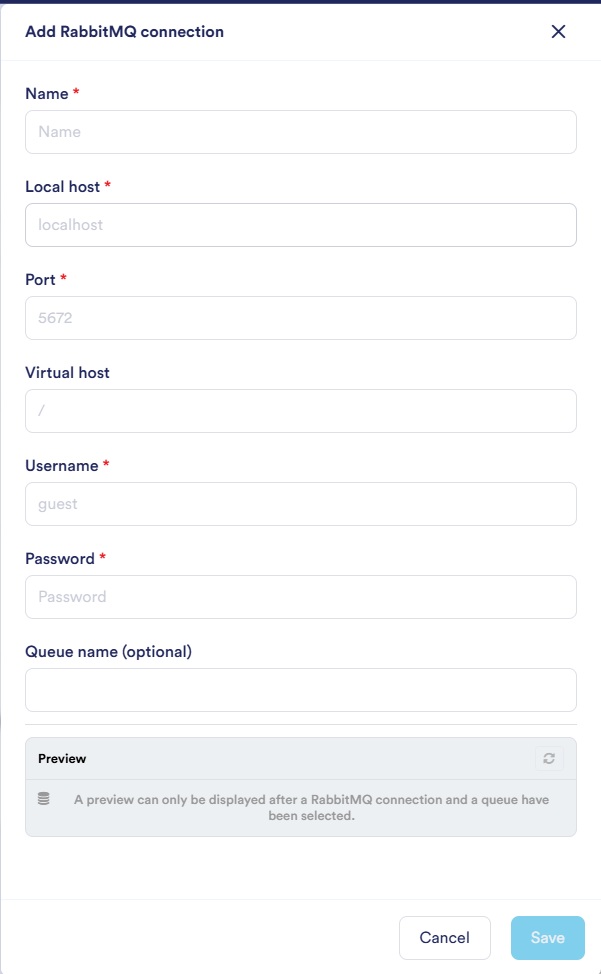
Enter all connection details here. As an example, we have a RabbitMQ list containing test data consisting of characters from *The Lord of the Rings*.
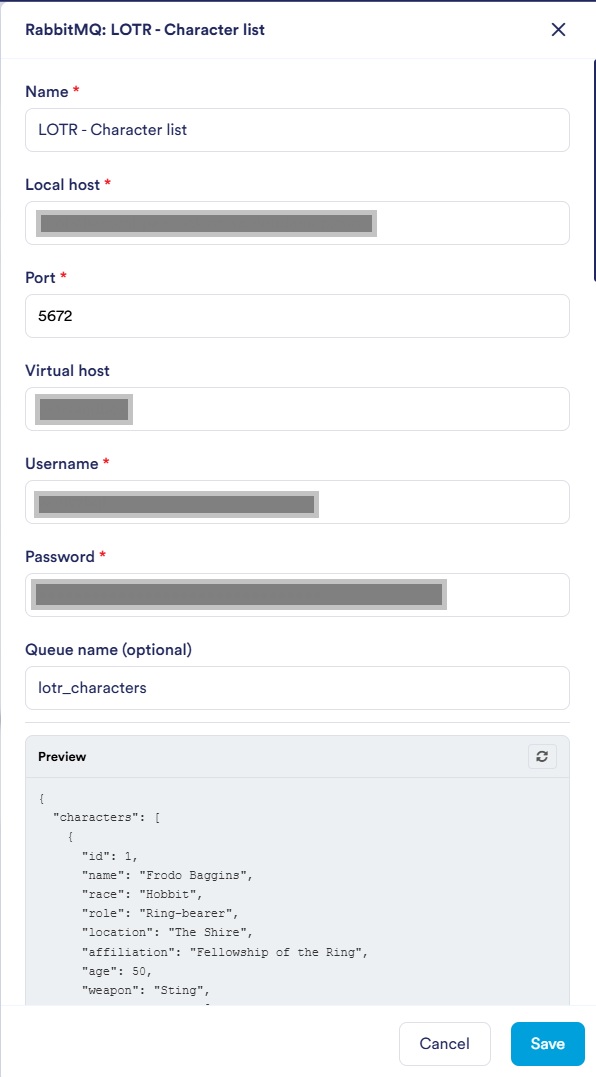
Once everything has been filled in correctly, a preview of the messages will be displayed on the "Message Preview" screen.
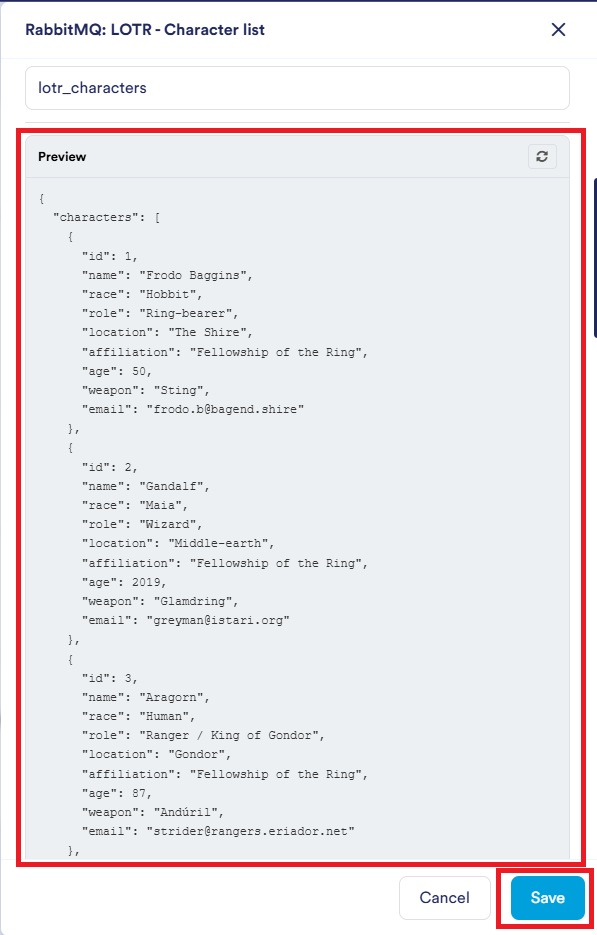
Is some information incorrect? If so, you'll see a message here explaining exactly what's wrong.
Use Connection
Once the connection has been established, you can use it in your flows to retrieve data from RabbitMQ.
You can find the user guide for the RabbitMQ block at here.