Data Stores
A “datastore” is the data model of a data mart and is a prerequisite for data marts to be able to work.
You can define and manage datastores in the general settings.
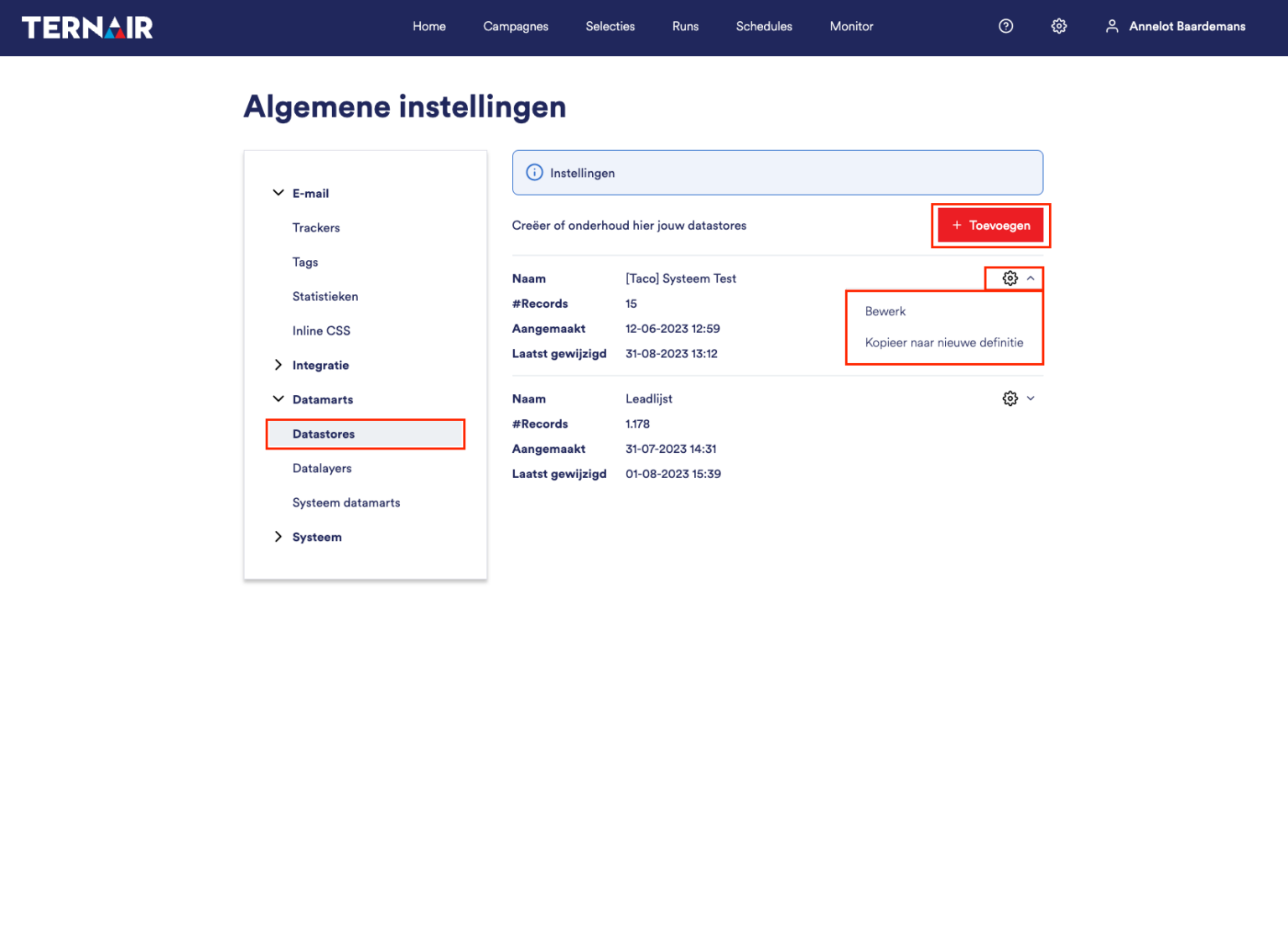
Existing datastores are displayed on this tab. For each datastore, you'll see the following information:
datastore name
number of rows (the number of records)
date created
the date on which the definition or contents of the datastore were last modified
Click the "+ Add" button to add a new datastore.
You can edit and copy a datastore by clicking the gear icon.
Add
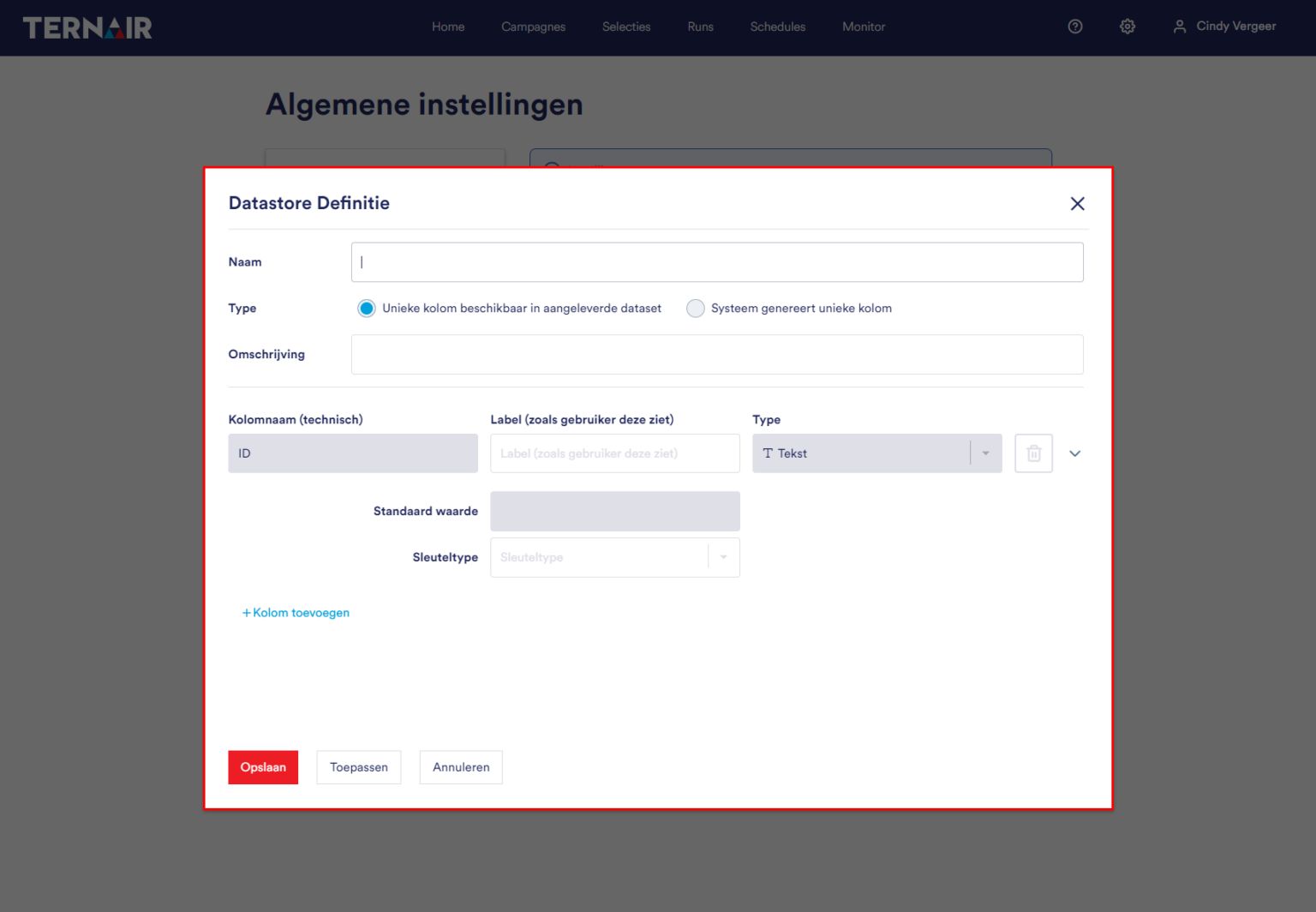
Fill in all the fields to add a datastore.
Definition
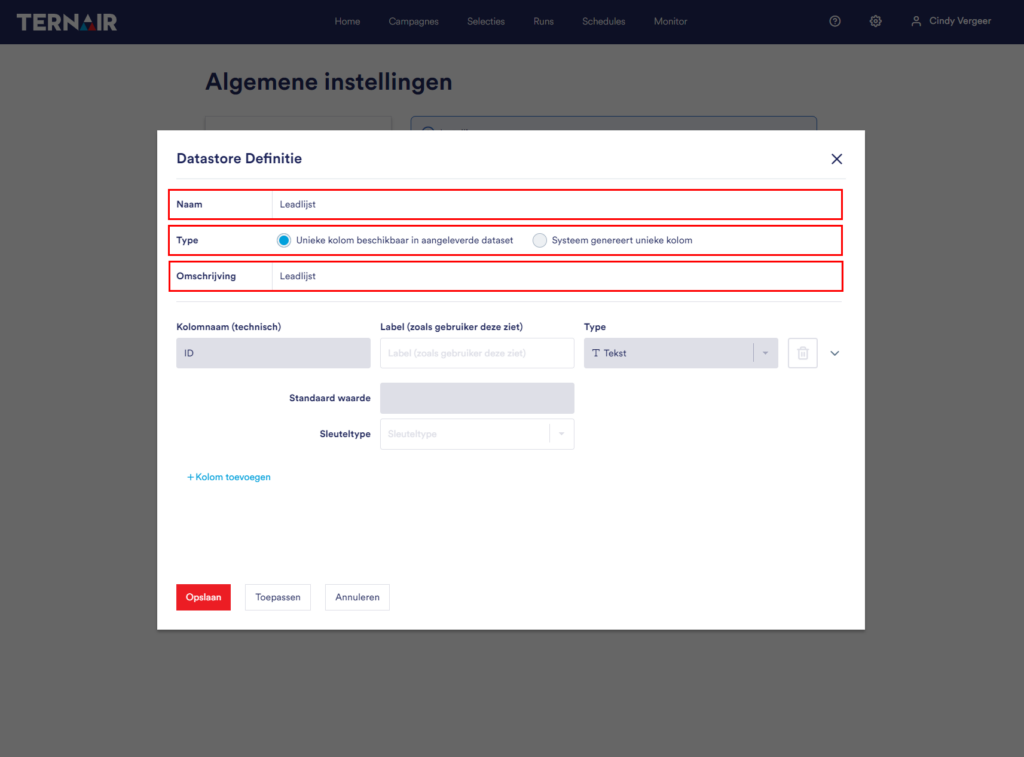
First, give the datastore a unique name.
In addition to a unique name, you also need a unique column for a functioning datastore—for example, a customer number or transaction number. You can include this column in your dataset. If there is no unique column in the dataset, Ternair can generate one for you. You can define this under type.
At description Is it possible to provide a description of the datastore? By default, the description is taken from the name. If you enter a description yourself, that value will remain even if you change the name later.
Create
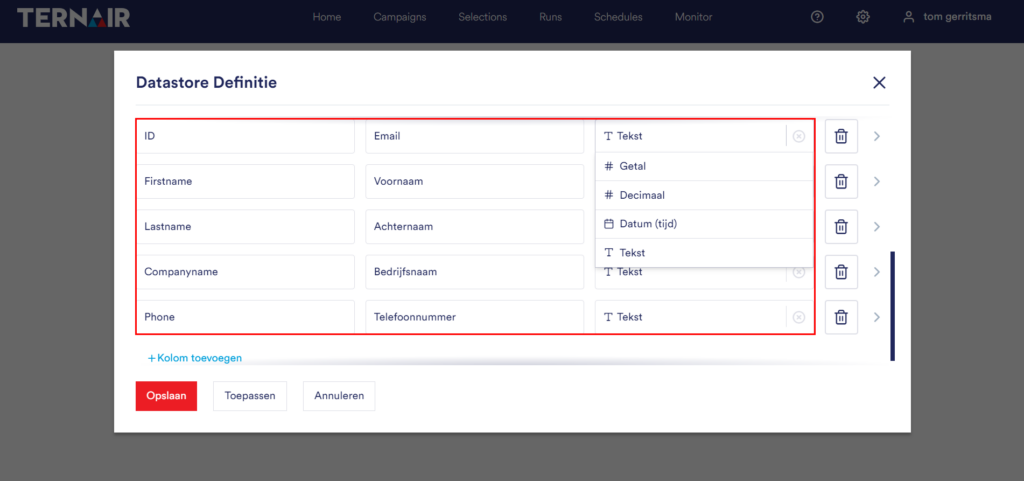
Next, define the columns in your dataset.
Each datastore must have a unique ID (key). The first column name (ID) is generated automatically. The label can be customized.
Next, define the other columns. For each row, define a column name, a label (how the user sees it in the Flow Builder), and specify the data type: text, number, decimal, or date (time). By default, the label is taken from the column name. If you enter a label yourself, that value will remain.
Once the column has been defined, click the "checkmark" icon to save the row.
Edit
Once the columns have been defined, you can edit the data by clicking the edit icon.
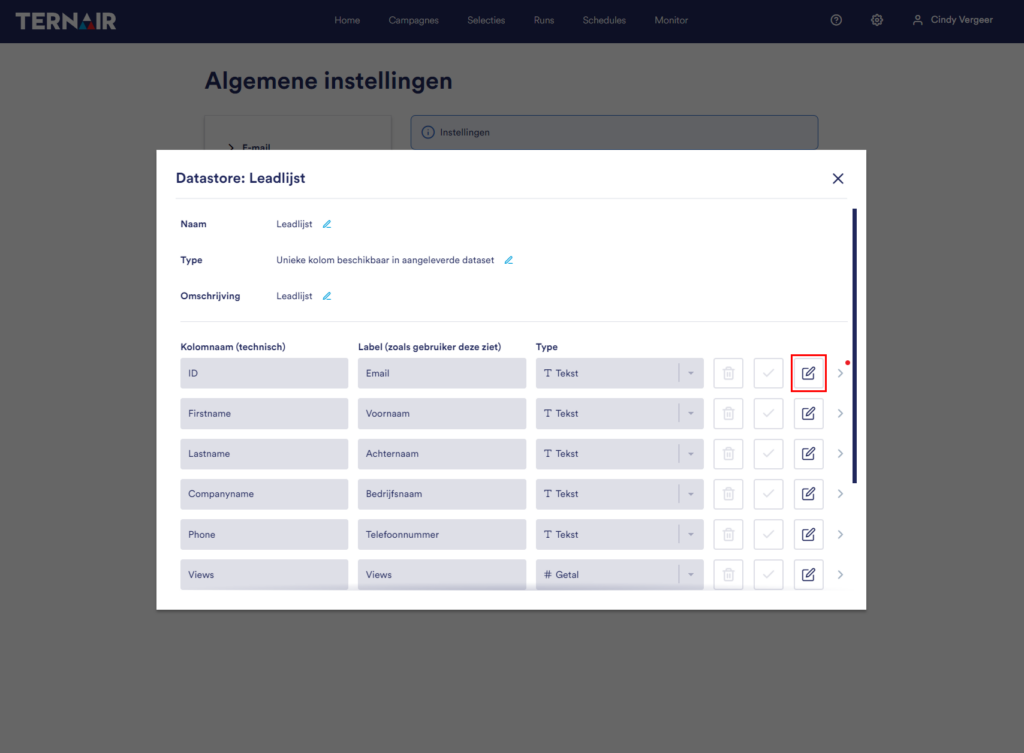
Additional properties
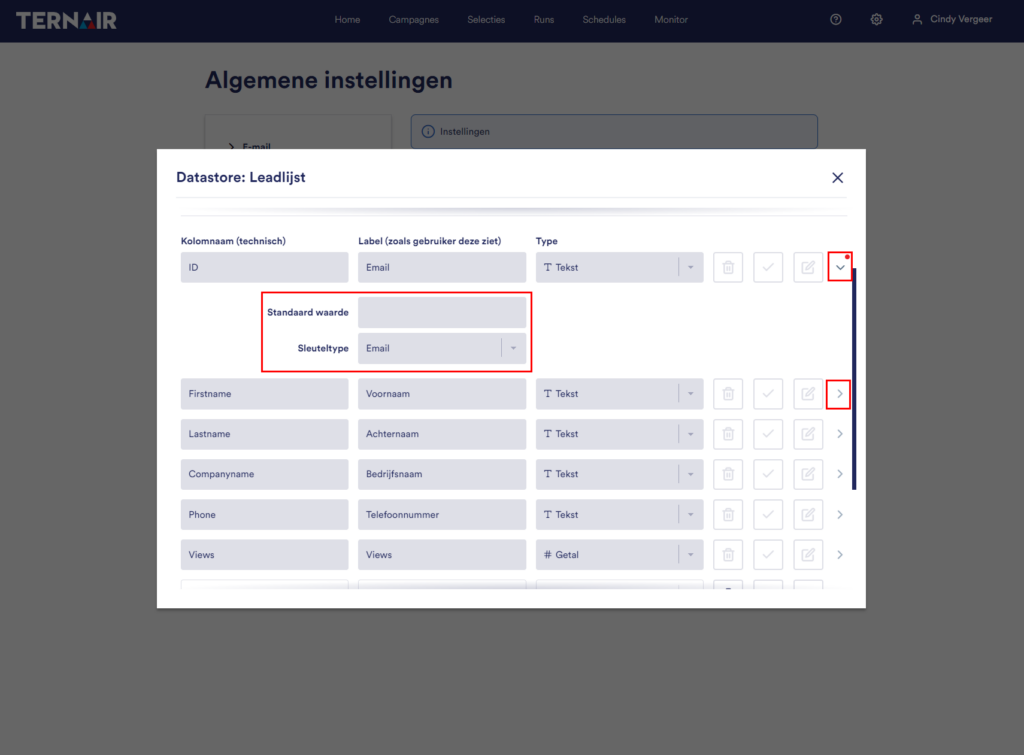
By clicking the ">" icon, you can add additional properties to a column.
The red dot next to the “>” icon indicates that additional properties have been created.
Default value:
You can assign a default value to each column. This is the value that a column will be assigned if no value is provided in the dataset.
Wrench type:
It is possible to define multiple keys in a single datastore. You can add a key type to a column using the dropdown menu.
Please note: Once you have saved the datastore, you can no longer change the "column name" or "column type" values.
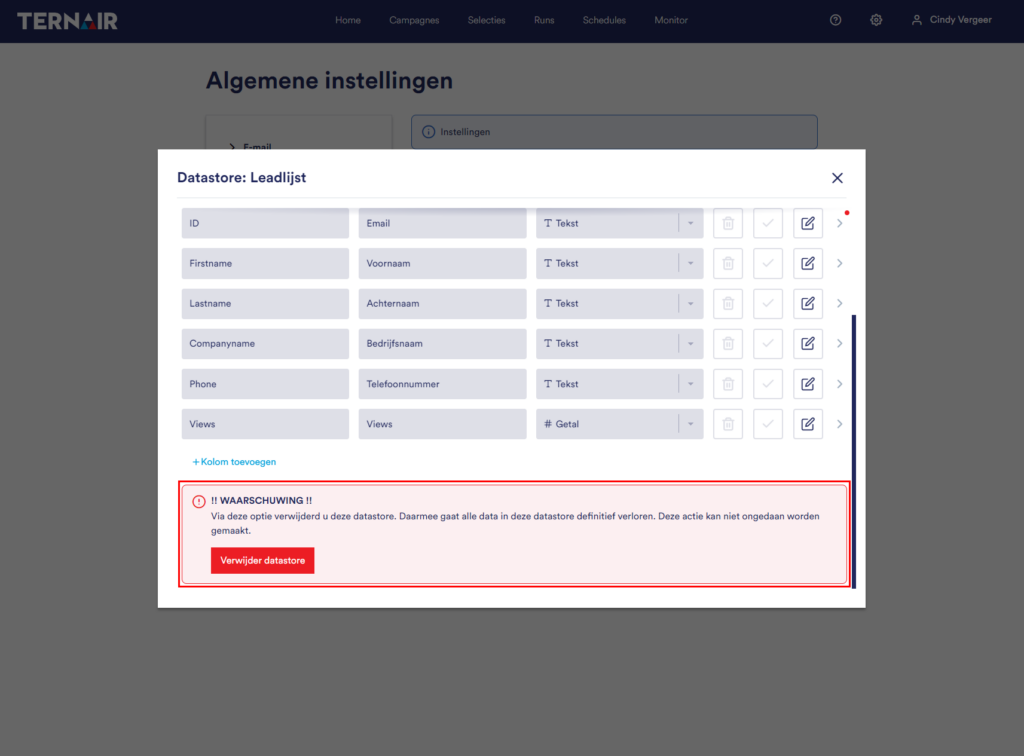
Delete
Please note: If you delete the datastore, both the datastore and its contents will be permanently deleted. This action cannot be undone.
Data Layers
Datastores can only be used through a data layer. Read here More about data layers.