Blocks
The "Blocks" screen displays an overview of all block templates in Ternair. A template is a saved version of an existing block that can be used as the basis for a new block.
Block Templates
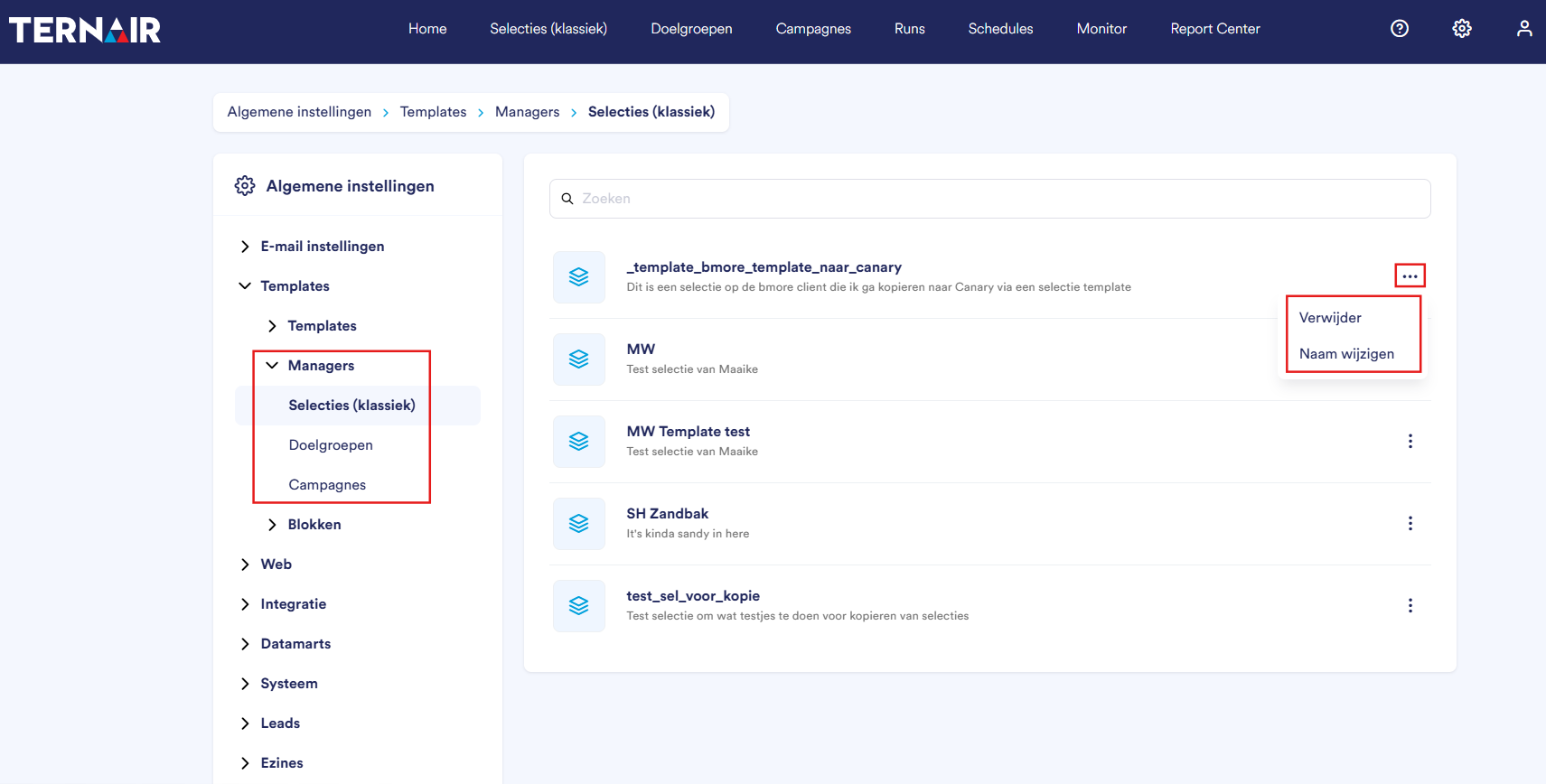
Under “Blocks,” you’ll find individual blocks that have been saved as templates. The group consists of three overviews: Selections (Classic), Target Audiences, and Campaigns.
For more information on saving a block as a template, see the manual section Block settings.
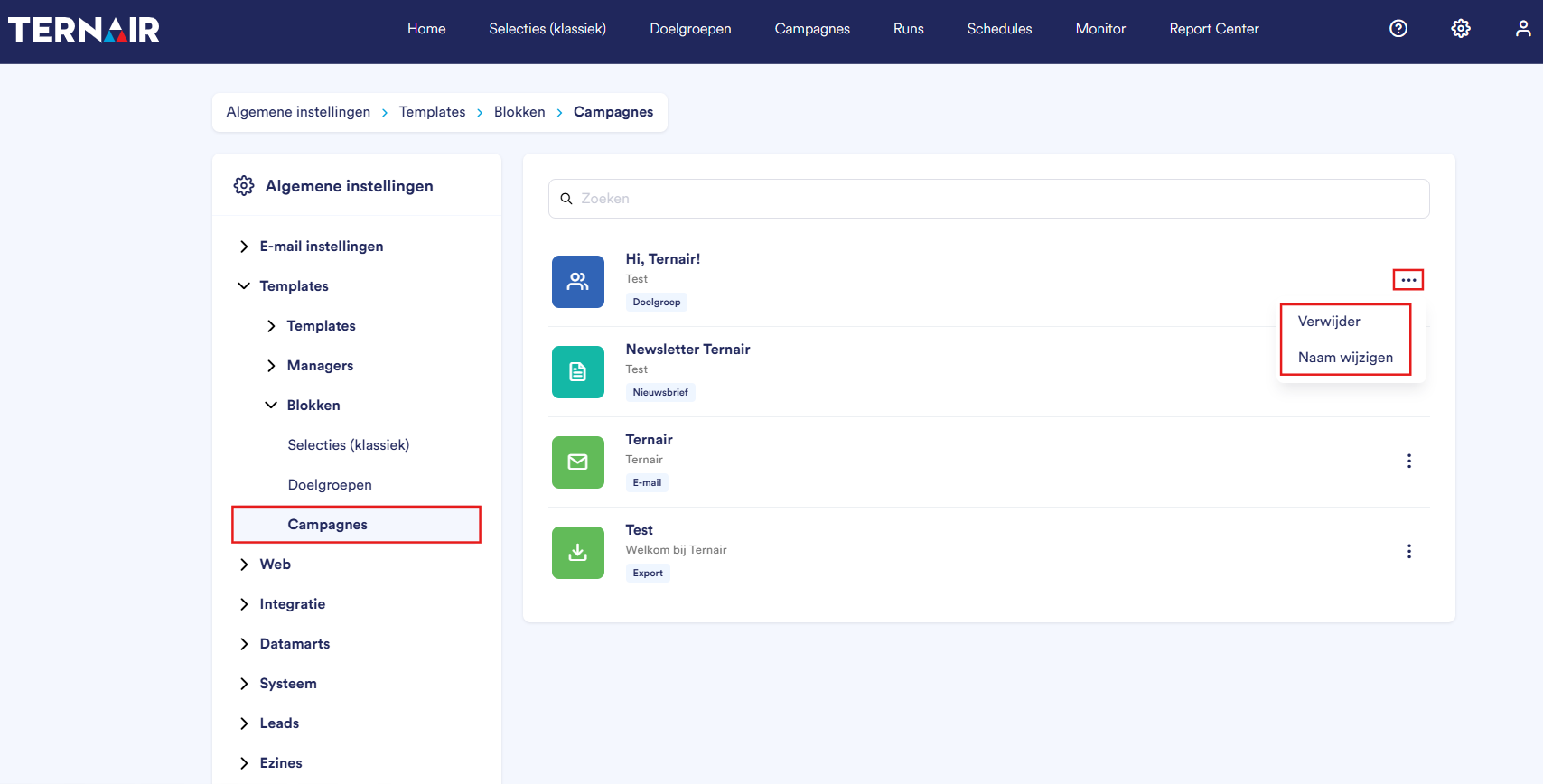
You can delete or rename a block template by clicking the three dots.
For the block templates, the type is displayed for each block, such as Target Audience, Newsletter, Email, or Export.
Reusing a Block Template
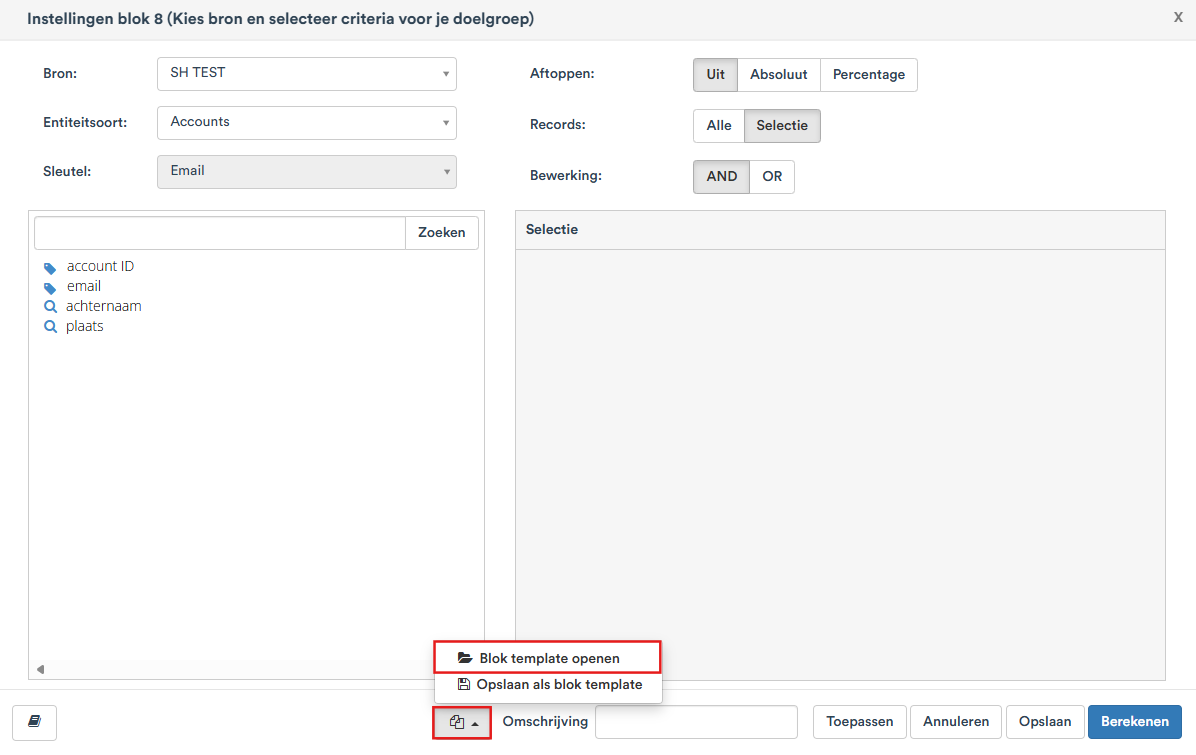
A block template can be reused via the “Open Block Template” option located at the bottom left of a selection block within the menus Selections (classical) and Target audience. Then select the template you want from the list.