Start with Ternair
Introduction
Menu
Audience Manager (data)
Campaign Manager (channels & content)
Key path
Automation
Execute
Schedule
Webhook
Time zones
Reports
Email dashboard
Campaign calendar
Email conversion dashboard
Manage
Home
Selections (classic)
Audience Manager
Campagne Manager
Runs
Schedules
Overview
Search
Monitor
Campaign set
Operation Campaign
Search
To find the right schedule faster, you can use different filtering options.
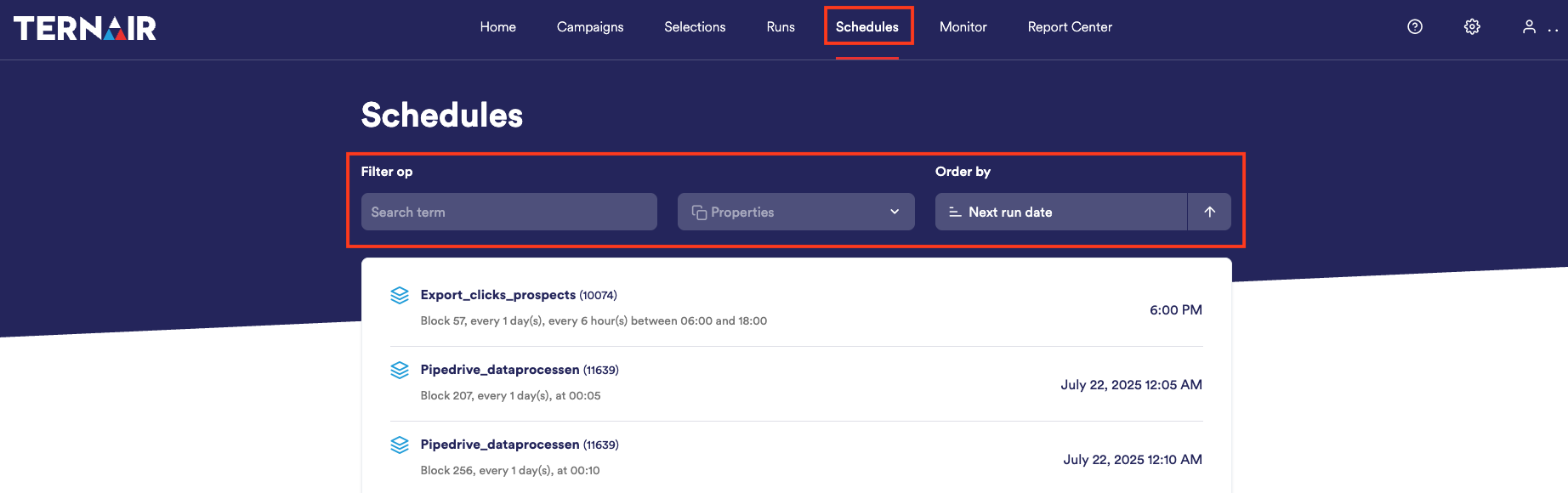
There are three ways to filter schedules:
Search by keyword
Use the search bar at the top to search for a specific schedule.Filtering by properties
Under properties you can filter campaigns based on:Scheduled to (this week, next week, this month, next month)
Type (one-time, recurring)
Filtering by modification date
You can also filter ascending or descending by specific dates such as:Next beef date
Selection ID
Selection
Description
By combining one or more of these filters, you can perform targeted searches within your schedule summary.