Start with Ternair
Introduction
Menu
Operation Campaign
Working with blocks
Connecting blocks
Grouping blocks
Add Memo
Signal
Context menus
Settings
Coding information
Audience Manager (data)
Campaign Manager (channels & content)
Key path
Automation
Execute
Schedule
Webhook
Time zones
Reports
Email dashboard
Campaign calendar
Email conversion dashboard
Manage
Connecting blocks
Blocks can be connected to each other in different ways, depending on their function. How one block can be connected to another can be read directly from the block itself.
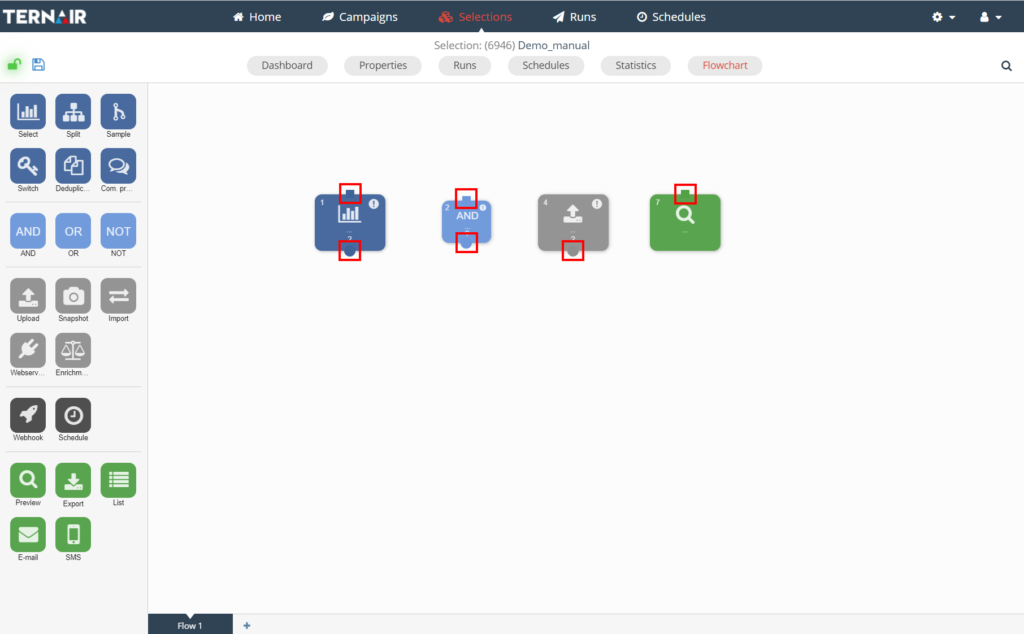
Blocks 1 and 2 have both an input and an output, block 3 has only an output and block 4 has only an input. The blocks can be connected together by selecting output (circle) and then, while holding down the left mouse button, dragging the line that appears on the screen to a block with an input (square). When a green square appears around the block you dragged the line to, you can release the left mouse button.
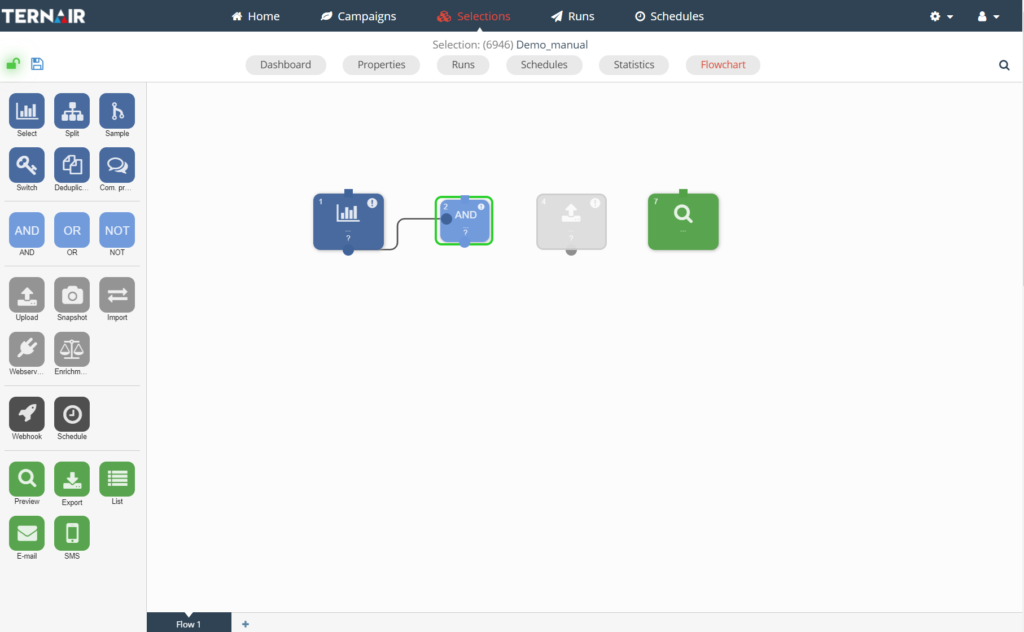
Visible loader of blocks
When you connect blocks together, you will now briefly see a "loader" on your screen. This ensures that when you open the blocks, the connection is actually loaded.