Start with Ternair
Introduction
Menu
Operation Campaign
Working with blocks
Connecting blocks
Grouping blocks
Add Memo
Signal
Context menus
Settings
Coding information
Audience Manager (data)
Campaign Manager (channels & content)
Key path
Automation
Execute
Schedule
Webhook
Time zones
Reports
Email dashboard
Campaign calendar
Email conversion dashboard
Manage
Settings
The settings of a block can be set and adjusted by clicking twice on a block (or via a context menu).
(Almost) all blocks have some default buttons. The use of these buttons is described in the rest of this section.
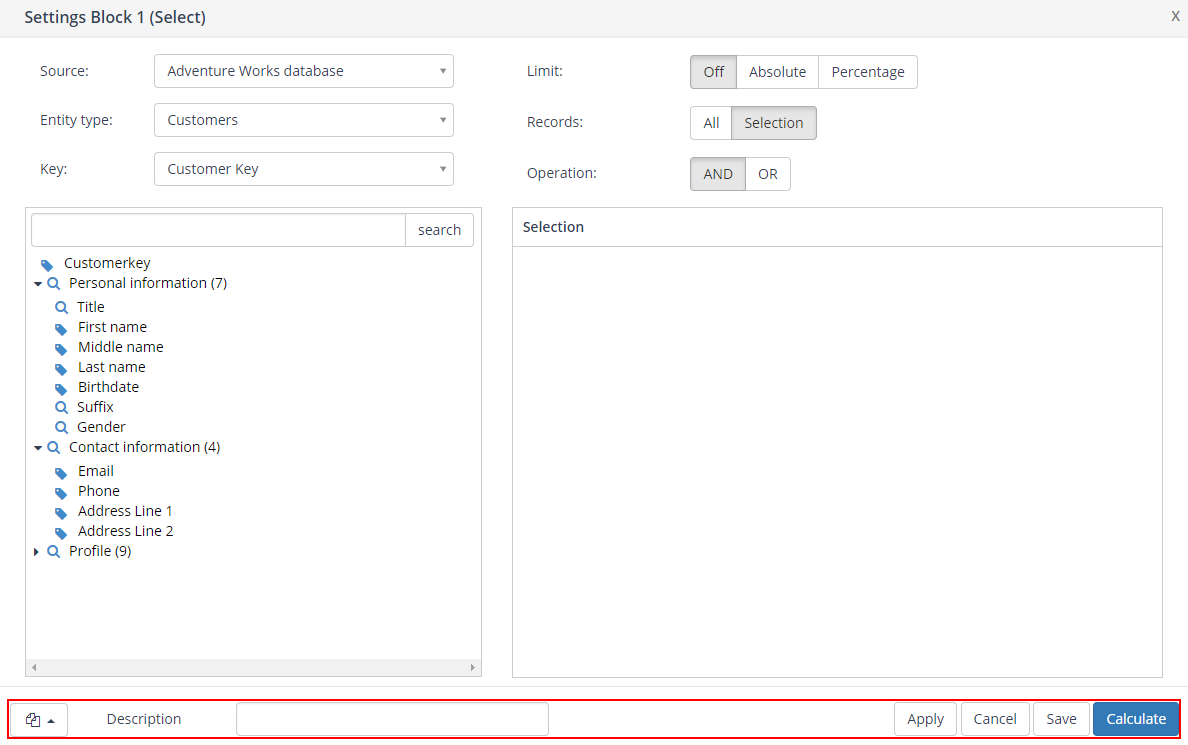
Settings window
The buttons in the box at the bottom of the images above are present in several settings windows.
Here you can save the settings of the current block as a template or open an existing block template;

Specify the description of the block here. The default fill of this field is the name of the first entity you selected;

After making one or more changes to a block, you can save these changes by clicking on the 'Apply' button;

Use the 'Cancel' button to exit the settings screen without saving the changes. Please note that all changes will be lost.

Clicking the 'Save' button saves all changes and automatically closes the settings screen. The block has not yet been calculated.

See Selection for specific block settings.