Product recommendations that sell more
Requirement: a working product feed

Tip: For a shop with few visitors, it helps to extend the Recommendation settings under Look-back period or to lower the Similarity threshold.
Choosing a recommendation per page type
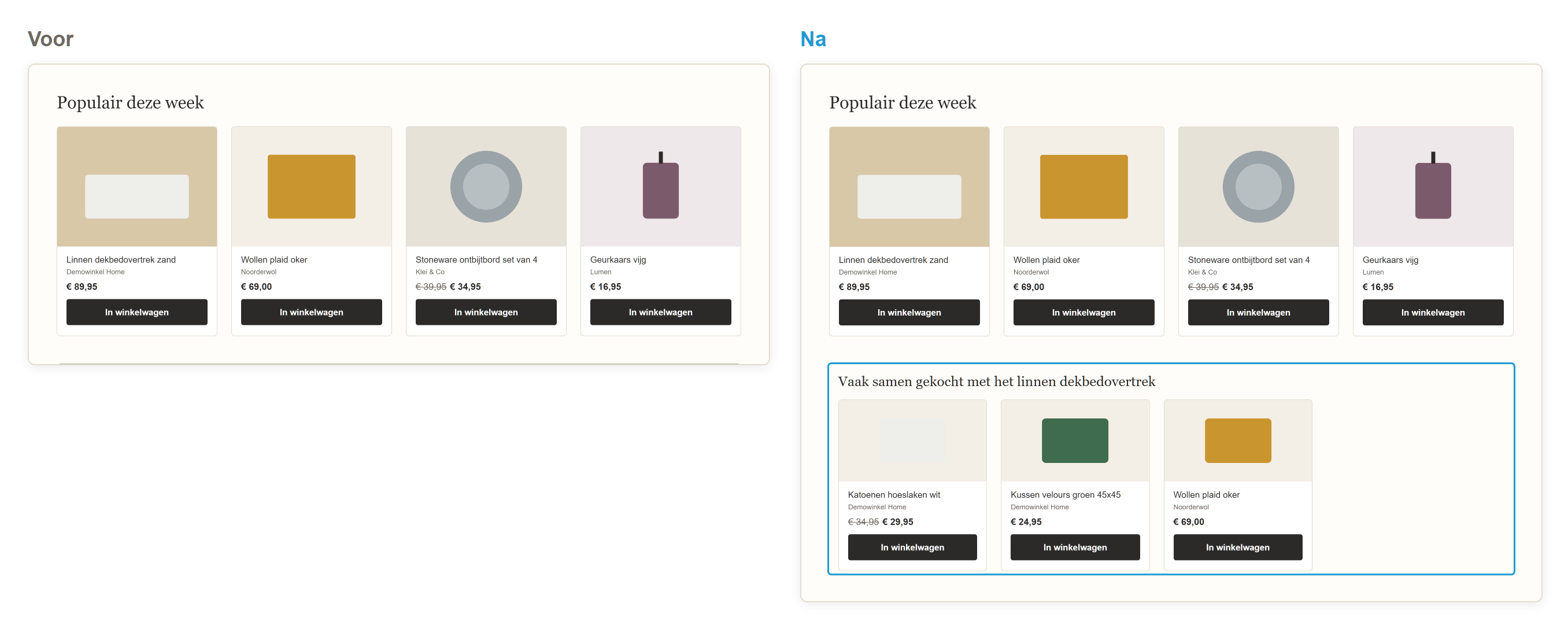
Frequently bought together: with the linen duvet cover, the matching pillowcases or a fitted sheet. This increases the order value.
Others also viewed: if the visitor is unsure about colour or price, alternatives keep them on your site instead of at a competitor.
Creating a recommendation
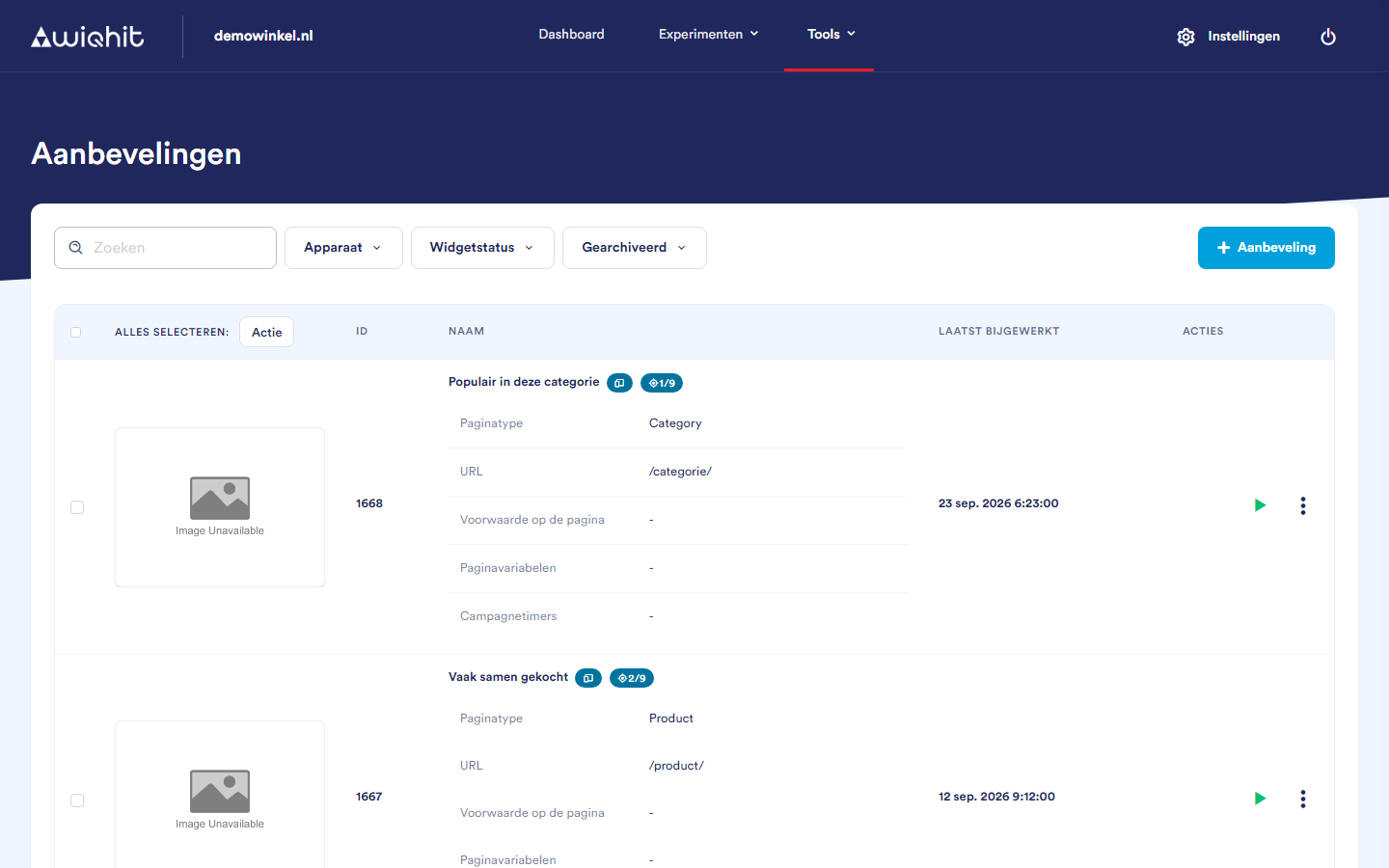
In the main menu, click Tools and then Recommendations.
Click + Recommendation and enter a name.
Choose a template. The template determines which products the recommendation shows and what they look like.
In the row of the recommendation, click ⋮ and then Settings. Check on which page type the recommendation appears. A template may already include one.
Click ⋮ and then Design.
On the Placement tab, determine where the recommendation appears on the page.
On the Data tab, turn on the Only show with results option. A product without recommendations will then not get an empty block.
Click Save.
Note: If there is no template for what you are looking for, ask WiQhit to set it up.
Putting the recommendation live
Check whether there is a red target icon with
0/…next to the name. If so, the recommendation is not yet in any card of the Journey Board and nobody sees it. Add it there.Set the recommendation to Active.
Important: Visitors only see the recommendation after Save and with the status Active.
Measuring the effect
In the row of the recommendation, click ⋮ and then Settings.
On the Basic tab, set the A/B test option to Yes and choose a Control group. That group does not see the recommendation.
Under ⋮ > Statistics, choose your goal and let the recommendation run for at least one to two full weeks.
Important: Every time you save in the editor, WiQhit resets the control group to an equal split. Only set your own split once you have finished designing.
Tip: If Frequently bought together works well on the product page, try the same approach in the shopping cart and compare which position delivers more.