Ideas and tips
Your first A/B test in 30 minutes
Addressing new and returning visitors differently
Retaining hesitant visitors with an exit-intent pop-up
Product recommendations that sell more
Writing a good test hypothesis
Getting started
Experiments
A/B tests
Personalisations
Reading results and statistics
Editor
Opening the editor
Editing elements on the page
Variants and A/B tests
Adding elements
Writing copy with AI
Building a widget
Previewing and saving
Data and audiences
Goals
Audiences
Lists
Products
Journey Board
Tools
Product recommendations
Search
Reviews
Product finder
Integrations
Email (ESP integrations)
Data Platform and Ternair Campaign
Other integrations and Booking Experts
Settings
Websites
Personal details
My environments
General settings
Pages and page types
Tracking
Users
Styling
Media
Reviews
On this screen you manage the customer reviews that WiQhit stores for your website. You add, edit or delete reviews, so that you can use them in your widgets.
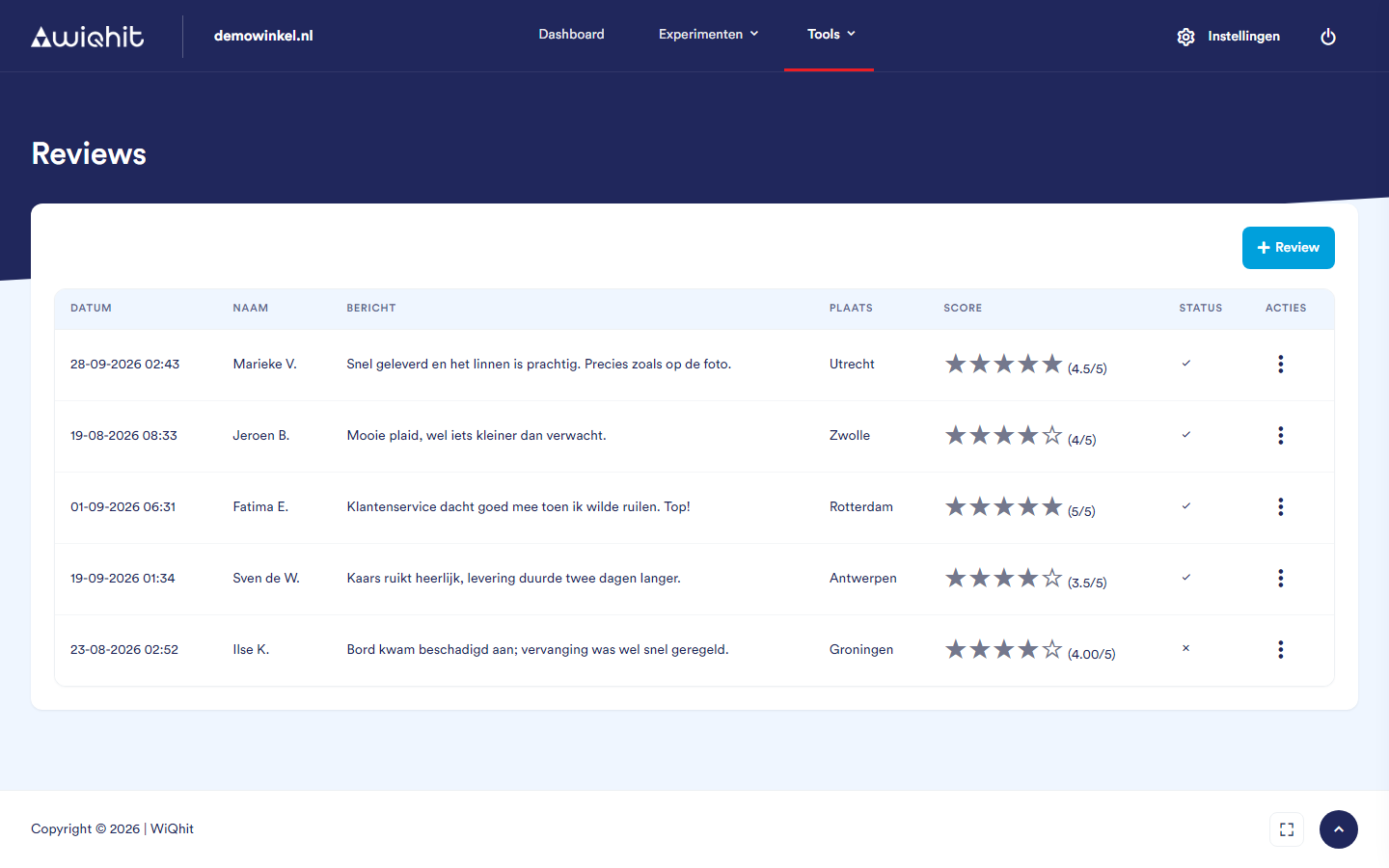
In the main menu, click Tools and then Reviews.
The overview
For each review, the overview shows:
Date.
Name: the name of the customer.
Message.
Place.
Score: in stars, from 0 to 5.
Status: a tick if the status is on, a cross if it is off.
Click a column header to sort by that column.
Adding a review
Click + Review.
Under Name, enter the name of the customer.
Enter the Place.
Replace the pre-filled value under Score with a number from 0 to 5.
Type the text of the review under Message.
Select Status or leave the box empty.
Choose the Date of the review.
Click Create.
Only the name and the score are required; you may leave place and message empty.
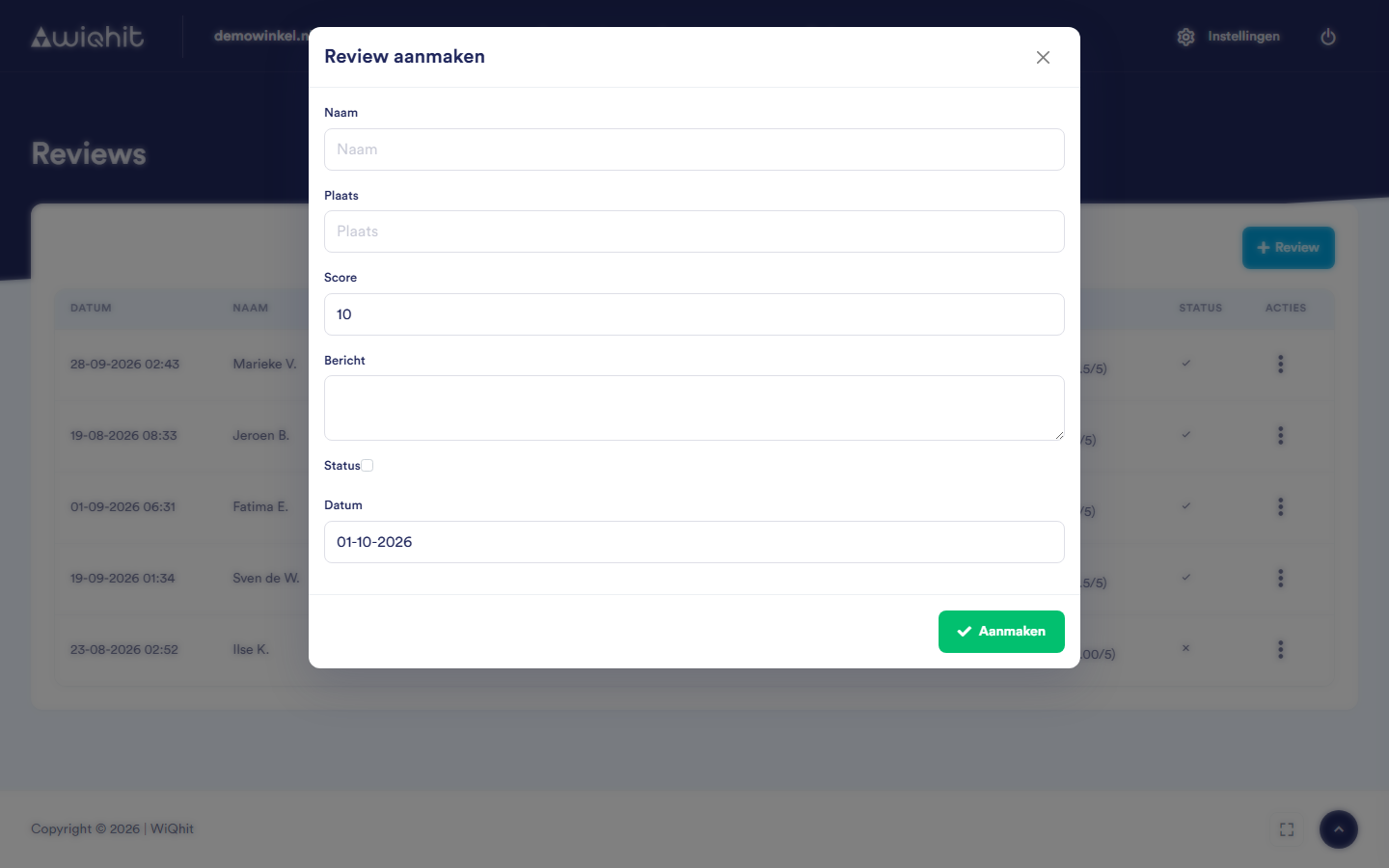
Important: Always check the Score before you create the review. Use a full stop for half a star, for example 4.5; a comma is not accepted.
Editing a review
After the review, click ⋮ and then Edit. The window shows the same fields as when adding.
Adjust the fields.
Click Save.
Deleting a review
After the review, click ⋮ and then Delete.
Considerations
A deleted review cannot be recovered.