Products
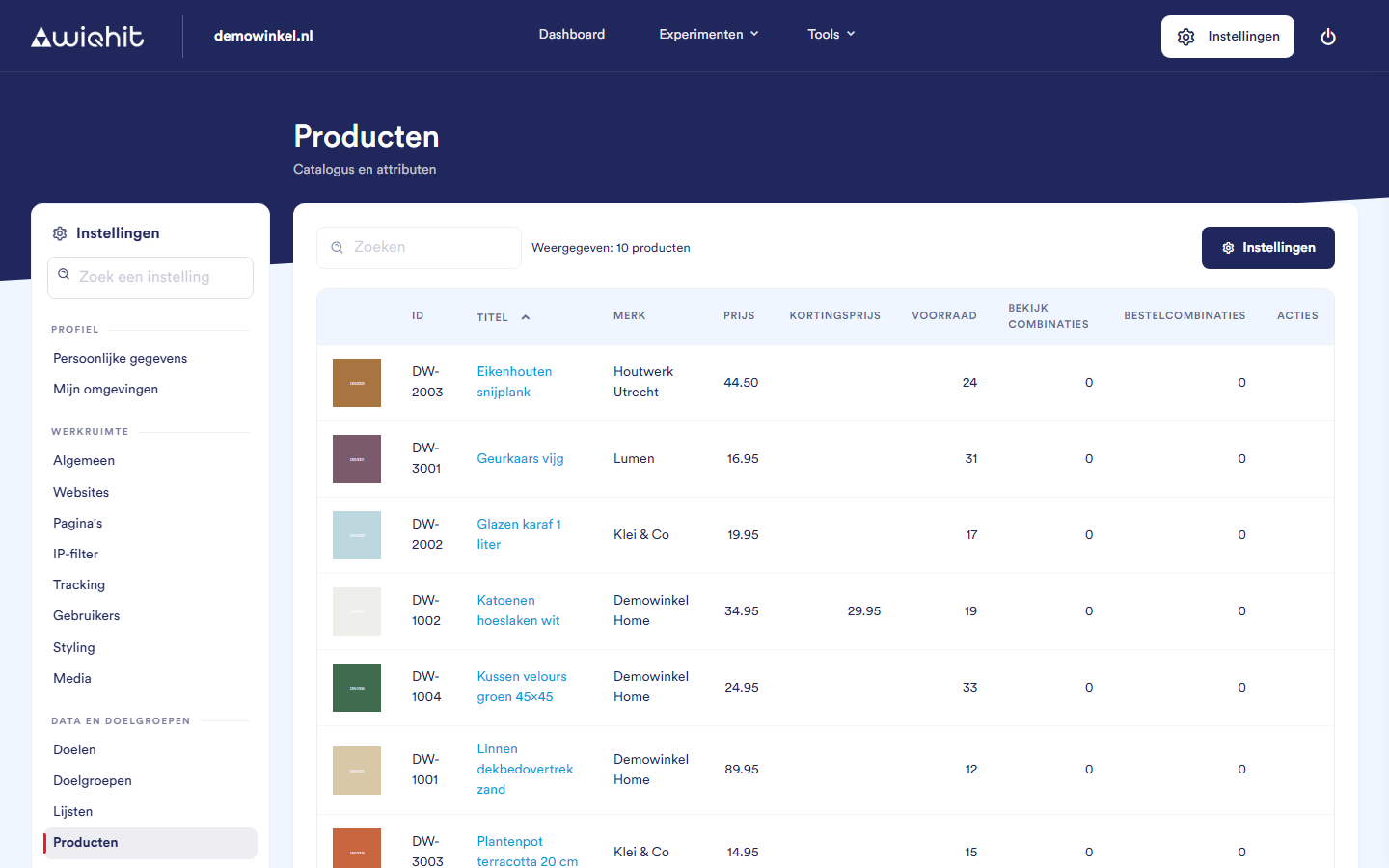
The overview
the image;
ID: the product code from your feed;
Title: click the title to open the product page on your website;
Brand, Price, Sale price and Stock;
View combinations and Order combinations: for how many other products WiQhit has calculated a recommendation with this product, based on products that visitors viewed together or bought together.
Setting up a product feed
At the top right, click Settings.
Click + Feed configuration.
Under Feed type, choose
xml,jsonorcsv.Under Feed URL, enter the address of your feed and click Analyse feed.
For an XML or JSON feed, choose the Root node path: the place in the file where the products are.
Under Field mappings, link the fields from your feed to the WiQhit fields. Product ID, Product title, Product URL and Image 1 are required; price, sale price, stock, brand and description are optional.
Optionally, under Category mappings, choose the fields with category information and under Search field mapping the fields that may be searched.
Click Save mappings.
Click Import products.
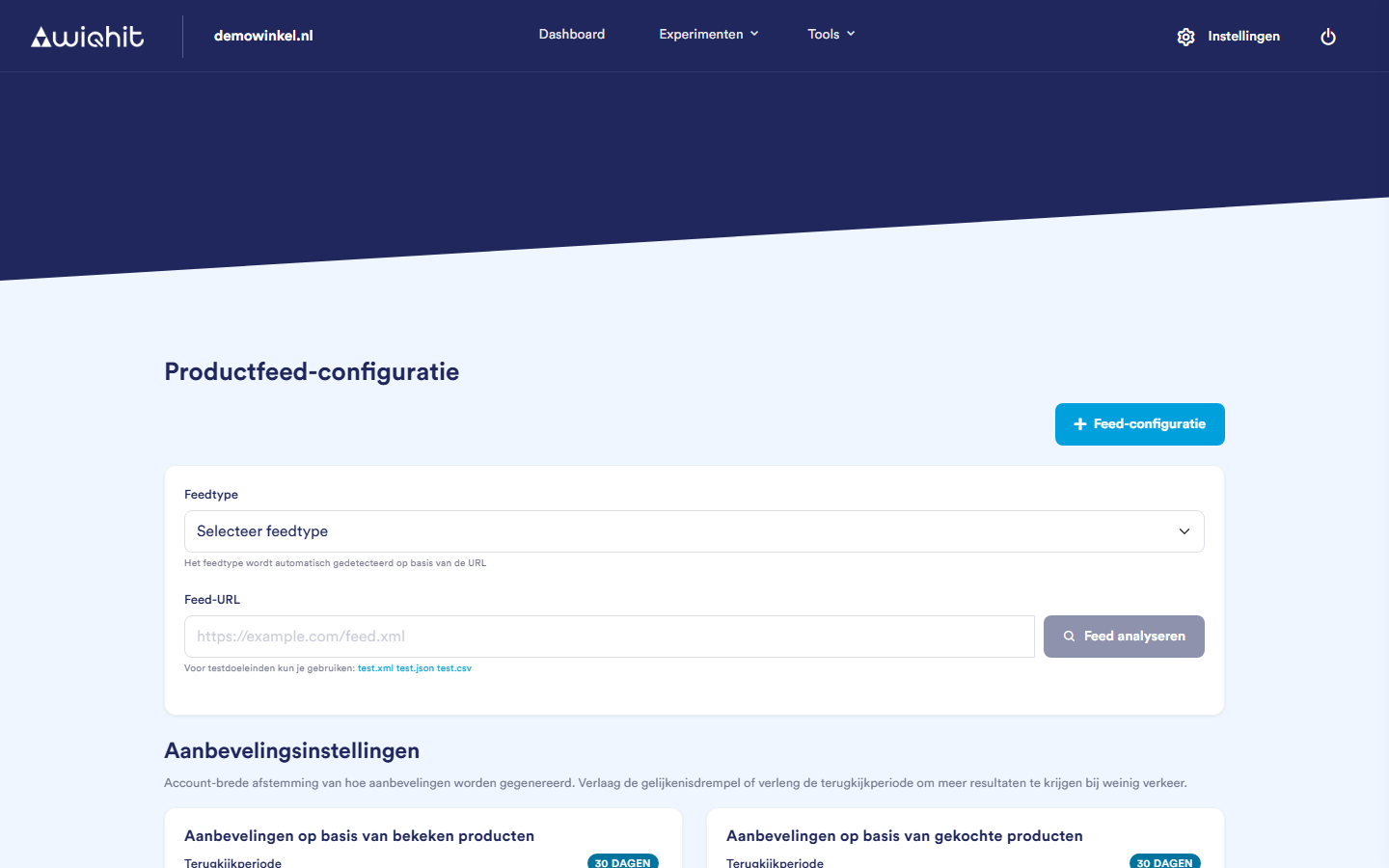
Note: A change in your webshop, such as a new price, does not appear in the overview immediately, but only after WiQhit has read in the feed again.
Setting up recommendations
Look-back period: how many days of behaviour WiQhit uses.
Similarity threshold: how strict the link is.
Tip: If your shop has few visitors and you see few recommendations, extend the period or lower the threshold.
Considerations
You cannot add products one by one; they always come from a feed.