Memo
The Memo block allows you to add a note to your flow chart. Handy for capturing notes or instructions for yourself or colleagues without affecting the campaign.

The Memo block is a supporting tool within the flow chart. The block processes no data and has no connection to other blocks in the flow chart.
Add memo block
Drag and drop the Memo block from the category Tools in the menu to the worksheet; the block opens automatically. Then click on the block again to open and edit it.
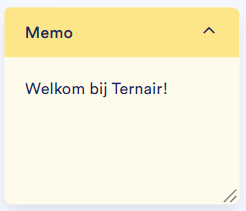
Memo editor
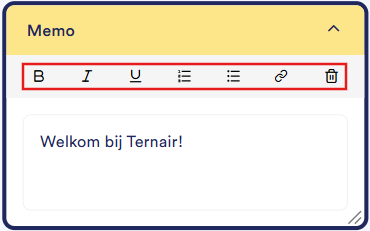
The Memo editor consists of a text field with formatting options.
Parts and functions
Field | Description |
Text field | This is the input field where you type the memo. Click in the text field to start writing |
Grease (B) | Select text and click on 'B' to make the text bold |
Italics (I) | Select text and click on 'I' to italicize the text |
Underline (U) | Select text and click on 'U' to underline the text |
Numbered list | Click the icon to add a numbered list to your memo |
Listing | Use the icon to create a bulleted list |
Hyperlink | Add a clickable link by selecting text and clicking the hyperlink icon |
Trash | Click the trash can icon to delete the entire contents of the memo |
Save changes
Changes are automatically saved as soon as you close the block.